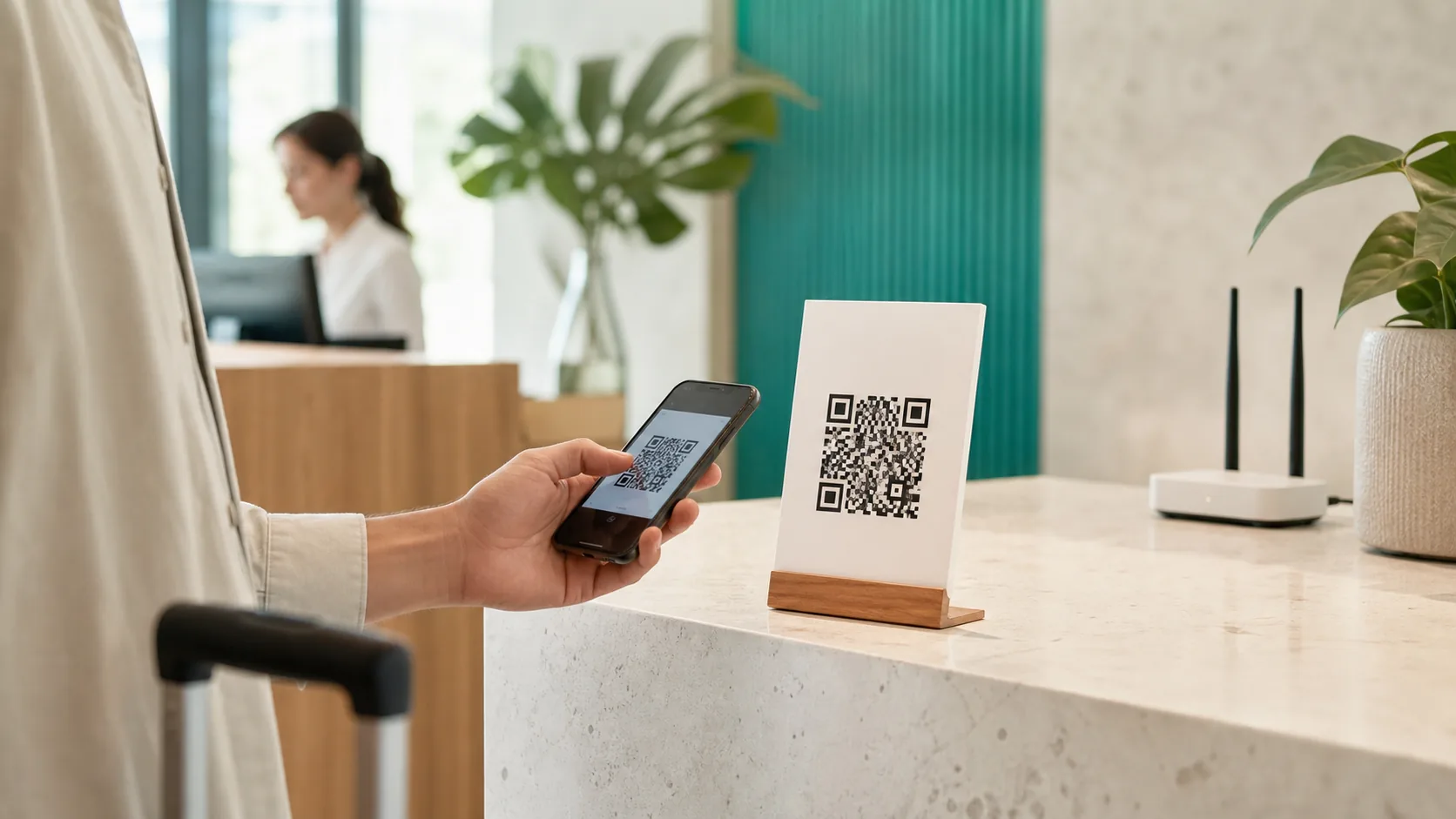
A WiFi QR code stores the network name, security type and password in a structured text payload. A compatible phone recognizes the data and offers to join the network. It is useful in homes, rentals, clinics, cafés and offices, but convenience should not mean exposing your internal network.
Quick answer
- Copy the exact SSID and choose the security type configured in the router.
- Share a separate guest network, not the network used by staff or private devices.
- The password is readable from the code, so control where the image is displayed.
- Test with at least one iPhone and one Android phone that have not saved the network.
- Create a new static code whenever the SSID, security or password changes.
What does a WiFi QR code contain?
A QR code carries text. For WiFi access, scanners commonly recognize a structured format like this:
WIFI:T:WPA;S:Guest-WiFi;P:A-Secure-Password;H:false;;Google ML Kit exposes WiFi credentials as a structured barcode data type, while the ZXing project documents the widely used fields for authentication, SSID, password and hidden networks. Our QR code generator creates and escapes this payload automatically.
| Field | Meaning | What to check |
|---|---|---|
T | Security type | Usually WPA/WPA2; it must match the router. |
S | SSID / network name | Copy capitalization, spaces and special characters exactly. |
P | Password | Special characters need escaping; the generator handles this. |
H | Hidden network | Enable only when the router actually hides the SSID. |
Enterprise networks that require a username, certificate or complex 802.1X setup are less consistently supported. A conventional WPA2 guest network, or a compatible transition mode, is generally more reliable for a public sign.
How to make a WiFi QR code
- Prepare a guest network. Enable guest isolation in the router, use a dedicated password and block access to local devices where possible.
- Select WiFi content. Open the free generator and choose the WiFi content type.
- Enter exact credentials. Add the SSID, security type and password. Mark the network as hidden only if it truly is.
- Keep the design readable. Dark modules on a light background are the safest choice. If you add a logo, keep it small and use stronger error correction.
- Download and test. PNG works well on screens; SVG is usually better for print. Scan with a phone that has never joined the network.
How to scan it on iPhone and Android
iPhone and iPad
Apple documents QR scanning through the Camera app or the Code Scanner in Control Center: open the camera, place the whole code in the frame and tap the prompt. Compatible devices can present a join-network action for structured WiFi data. If nothing appears, check that QR scanning is enabled or try Code Scanner.
Android
Many Android camera apps and Google Lens recognize WiFi credentials directly. Pixel phones can also share a saved network as a QR code. Menus vary by manufacturer; when the standard camera only displays raw text, Lens or the QR scanner in Quick Settings may work better.
Google documents on-device barcode recognition in ML Kit, so decoding does not inherently require a network connection. Joining still depends on signal range, valid credentials and a compatible security setting.
Share guest WiFi without weakening your network
A QR code does not add encryption to the password. Anyone who can access the image can decode its contents. Treat the sign like a visible key and keep the guest network separate from administration pages, office devices, file servers and printers.
- Use guest isolation: Prevent visitors from reaching other local clients whenever the router supports it.
- Use a unique password: Never reuse the router admin password or credentials from another service.
- Control placement: Display the sign only where legitimate guests can see it.
- Rotate access: Change the guest password after staff changes, a lost sign or unexpected usage.
- Avoid redundant plaintext: Do not print the password underneath if discreet sharing is the goal.
Hotels, events and large workplaces may need a captive portal or centrally managed access. A basic QR code is not a substitute for segmentation, policy or professional identity management.
Why a WiFi QR code may not work
| Symptom | Likely cause | Fix |
|---|---|---|
| The code is recognized but joining fails | Wrong password or security type | Check the live router settings and generate a new code. |
| The wrong network appears | SSID spelling differs | Compare capitalization, spaces and punctuation exactly. |
| The camera detects nothing | Code is too small, blurred or low contrast | Display it larger, remove glare and test black on white. |
| Only one phone fails | Camera app or manufacturer support | Update the OS, use Lens/Code Scanner or enter credentials manually. |
| An old sign stopped working | SSID or password changed | Replace every static copy with a newly generated code. |
Print and display the code
For a table sign or guest folder, about 30 mm square is a sensible practical starting point, not a universal guarantee. Data density, printer, paper, light, camera distance and phone all matter. Preserve a clean light quiet zone around the symbol and keep borders or copy away from the modules.
Use SVG for print when possible, or a sufficiently large PNG. Avoid glossy lamination across the code, pale gradients and low-contrast colors. See the full QR code print size and quality guide before producing a large run.
Frequently asked questions
Does a WiFi QR code expose the password?
The credentials are encoded in machine-readable form. Anyone who can scan or decode the image may retrieve them, so use a separate guest network whenever possible.
Do WiFi QR codes work on iPhone and Android?
Current iPhones and many Android phones recognize structured WiFi data through the camera or a code scanner. Test the final code on several real devices before displaying it.
Does the phone need internet access to scan it?
No. Barcode recognition can happen on the device. The WiFi network still needs to be in range and the encoded credentials must be valid.
What should I enter as the SSID?
Enter the exact network name shown by the router, including capitalization, spaces and special characters.
What happens after I change the WiFi password?
A static QR code cannot update itself. Generate a new code after changing the SSID, security type or password, and remove every old copy.
Conclusion
A WiFi QR code saves guests from typing and reduces support questions. The reliable setup is simple: exact credentials, a separated guest network and a test on multiple phones. Regenerate the code after any network change and treat the displayed image as an access credential.
Sources and technical references
- Google ML Kit: barcode scanning and structured WiFi data
- ZXing: Barcode Contents and WiFi syntax
- Apple Support: scan a QR code with iPhone
- Google Pixel Help: share WiFi with a QR code
Device menus and manufacturer support may change. Sources checked July 31, 2026.
Create the matching QR code free in your browser.